

When you verify a Verifiable Credential, the automated process checks three things in seconds: that the document has not been altered since issuance, that it was issued by the organisation it claims, and that it has not been revoked. The checks are cryptographic, so you get a definitive result without ever needing to contact the issuer.
If part of your job is deciding whether to trust a certificate, a licence, or a qualification someone has handed you, you have probably felt the gap between how official documents look and what you can actually prove about them. A Verifiable Credential closes that gap. This article walks through what happens when one is verified, then runs traditional document formats through the same checks so you can see where each holds up.
For the fundamentals of what a Verifiable Credential is, see our pillar guide: What are Verifiable Credentials?
What verification has to prove
Any verification method, digital or manual, has to establish four things: the content is unaltered (integrity), the stated issuer really issued it (authenticity), it belongs to the person presenting it (binding), and it is still valid (status).
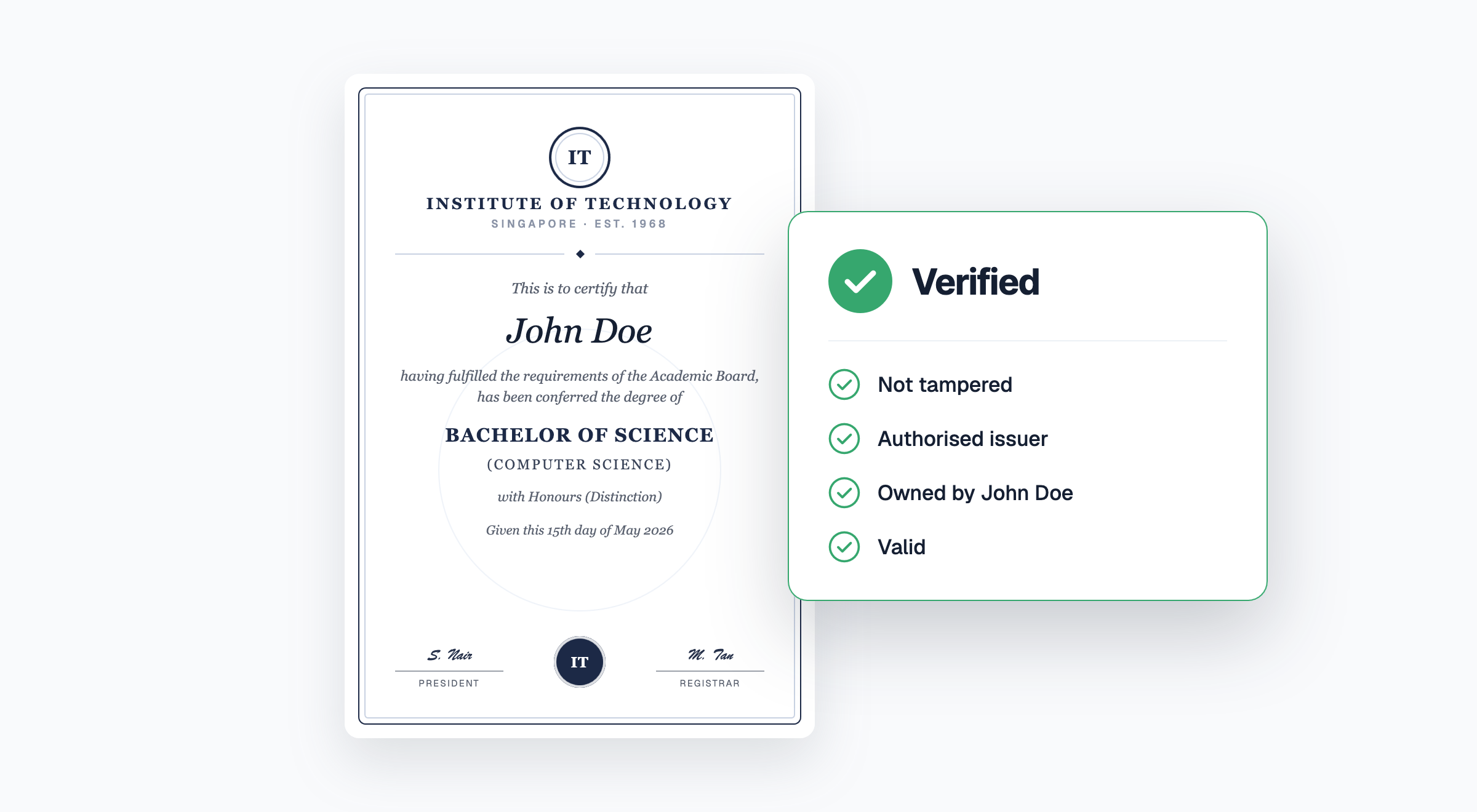
These four checks are worth keeping in mind because they give you a consistent way to judge any format. A document that passes one check and fails the others is not verified, however convincing it looks. A university transcript with a genuine-looking crest fails the authenticity check if you cannot trace it to the university. A signed PDF passes integrity but says nothing about whether the qualification inside it was later withdrawn.
The rest of this article scores each format against these four checks.
The step-by-step process in verifying a Verifiable Credential
The automated verification process resolves the issuer’s identity, recomputes the document’s fingerprint, checks it against the issuer’s cryptographic signature, then checks a revocation registry. All four steps, completed in seconds.
Here is what happens when you drop a Verifiable Credential into a verifier tool, whether that is a national e-service such as Singapore’s Verify.gov.sg, an OpenAttestation verifier, or a platform like Accredify’s TrustView.
- 1 You upload the VC to a verifier tool. Usually this means directly uploading the credential file, scanning a QR code on the document, or opening a verification link. No account, phone call, or request to the issuer is needed.
- 2 The backend automated process confirms the issuer’s identity. Every Verifiable Credential carries a claim about who issued it, and that claim is checkable against a source the issuer controls but cannot fake. In the W3C Verifiable Credentials model, the issuer is identified by a decentralised identifier that resolves to their public key. In OpenAttestation, the issuer publishes a DNS record on their own domain, so a certificate claiming to come from a university must be anchored to that university’s actual domain. Only the domain’s administrator can create that record, which is what makes the claim trustworthy.
- 3 The backend automated process checks the content has not been altered. At issuance, the credential’s entire contents are condensed into a unique digital fingerprint (a hash) and signed by the issuer. The verifier recomputes the fingerprint from the document in front of it and compares. Change a grade, a date, or a single character of a name, and the fingerprints no longer match. The document fails, instantly and visibly.
- 4 The backend automated process checks the credential is still valid. Issuers maintain a revocation registry, a published record of credentials that have been withdrawn. In the W3C model this is typically a status list the verifier reads directly; the Bitstring Status List standard is designed so the lookup reveals nothing about why you are checking. A qualification that was rescinded last month fails this check even though the document itself is untouched.
- 5 You read the result. The verifier returns a pass or fail against each check. Binding, the fourth requirement, works in one of two ways. Some credential setups bind the credential to the holder’s digital wallet cryptographically, so presenting it proves possession. Where that is not in place, you match the verified name and identifiers against the person’s ID, exactly as you would with paper. The difference is that you are matching against content you now know to be genuine.
The whole sequence takes seconds, works at any hour, and does not depend on the issuer’s office being open or their alumni records inbox being monitored.
How traditional documents handle the same checks
Paper relies on inspection, plain PDFs offer no verification path at all, e-signatures prove signing but not status, and QR codes are only as trustworthy as the page they point to.
Paper. Integrity and authenticity rest on physical features: seals, watermarks, security paper. Inspection catches crude forgeries and misses good ones, and modern generative AI tools have made good ones cheap to produce. Confirming authenticity properly means contacting the issuer, which takes days or weeks and assumes the issuer still exists and answers. Status is rarely checked at all.
Plain PDF or scan. A PDF of a certificate can be edited by anyone with free software or generative AI tools, and a scan of a forged document looks identical to a scan of a real one. There is no integrity check, no authenticity anchor, and no status mechanism. Manual confirmation with the issuer is the only route, same as paper.
Digitally signed PDF. A genuine step up: the signature proves who signed the file and that it has not changed since signing. But it stops there. It does not prove the signer was authorised to issue that type of document, and it has no revocation mechanism for the claim inside, so a rescinded qualification still carries a valid signature. We will be comparing these two formats in depth in an upcoming article.
QR code linking to a webpage. Scanning a QR code on a certificate feels like verification, but the code simply opens whatever page it encodes. A forger prints a QR code pointing to a lookalike site that dutifully confirms their fake. Unless the destination is a domain you independently trust, and the page itself performs cryptographic checks, a QR code is convenience, not proof.
The scorecard
| Integrity | Issuer authenticity | Status / revocation | Typical time | Issuer effort per check | |
|---|---|---|---|---|---|
| Verifiable Credential | Cryptographic, automatic | Anchored to issuer’s DID or domain | Checked against live registry | Seconds | None |
| Paper | Physical inspection | Contact the issuer | Rarely checked | Days to weeks | Manual response each time |
| Plain PDF / scan | None | Contact the issuer | None | Days to weeks | Manual response each time |
| E-signed PDF | Cryptographic | Proves signer, not issuing authority | None for the underlying claim | Minutes | None |
| QR to webpage | Depends on destination | Depends on destination | Depends on destination | Minutes | Hosting the page |
What Verifiable Credential verification does not do
While VC verification proves the credential is genuine, unaltered, and current, it does not prove the issuer is an accredited institution: a diploma mill can issue technically valid Verifiable Credentials, so you still need to know whether the issuer itself is recognised or accredited. It also depends on the issuer keeping their side running: revocation registries and identity records have to stay published for checks to keep working. These are real considerations when choosing an issuance platform, not reasons to stay with formats that fail the checks entirely.
Frequently asked questions
Do I need special software to verify a Verifiable Credential?
No. Verification runs in the browser through free public verifiers such as Verify.gov.sg for Singapore government documents, or the verification page an issuer links from the credential itself, such as TrustView.
Is a digital signature the same as a Verifiable Credential?
No. A digital signature proves who signed a file and that it has not changed since. A Verifiable Credential adds a checkable link to the issuer’s identity and a revocation mechanism, so you can also confirm the issuer’s authority and the credential’s current validity.
What happens if the issuer no longer exists?
The cryptographic proofs remain checkable as long as the issuer’s identity records and status registry stay published. This is one reason institutions issue through platforms that maintain that infrastructure long term.
Does verifying a credential require a blockchain?
Not necessarily. Some frameworks use one; others anchor identity in DNS records or other registries.
Can a verified credential still be fraudulent?
Verification proves issuance, integrity, and validity. If the issuing organisation itself is not legitimate or the credential belongs to someone else, those are separate checks: issuer recognition and identity matching.
Put it to work
If your team is still verifying documents by email and phone, the fastest way to understand the difference is to experience the convenience of VCs firsthand. Accredify works with governments and education institutions across Southeast Asia and the Middle East to issue and verify credentials built on open standards, including Singapore’s national verifier infrastructure.