We’ve been busy the past year developing brand new features to improve your experience! In this Product Update, we’ll cover:
New available features
Platform updates & QoL changes
New use cases for Accredify Nexus
Get comfortable and hang tight, because this is going to be a jam-packed update full of great news you’d not want to miss!
New Features
Nucleus: A Secure, Personal Verifiable Credentials Folder
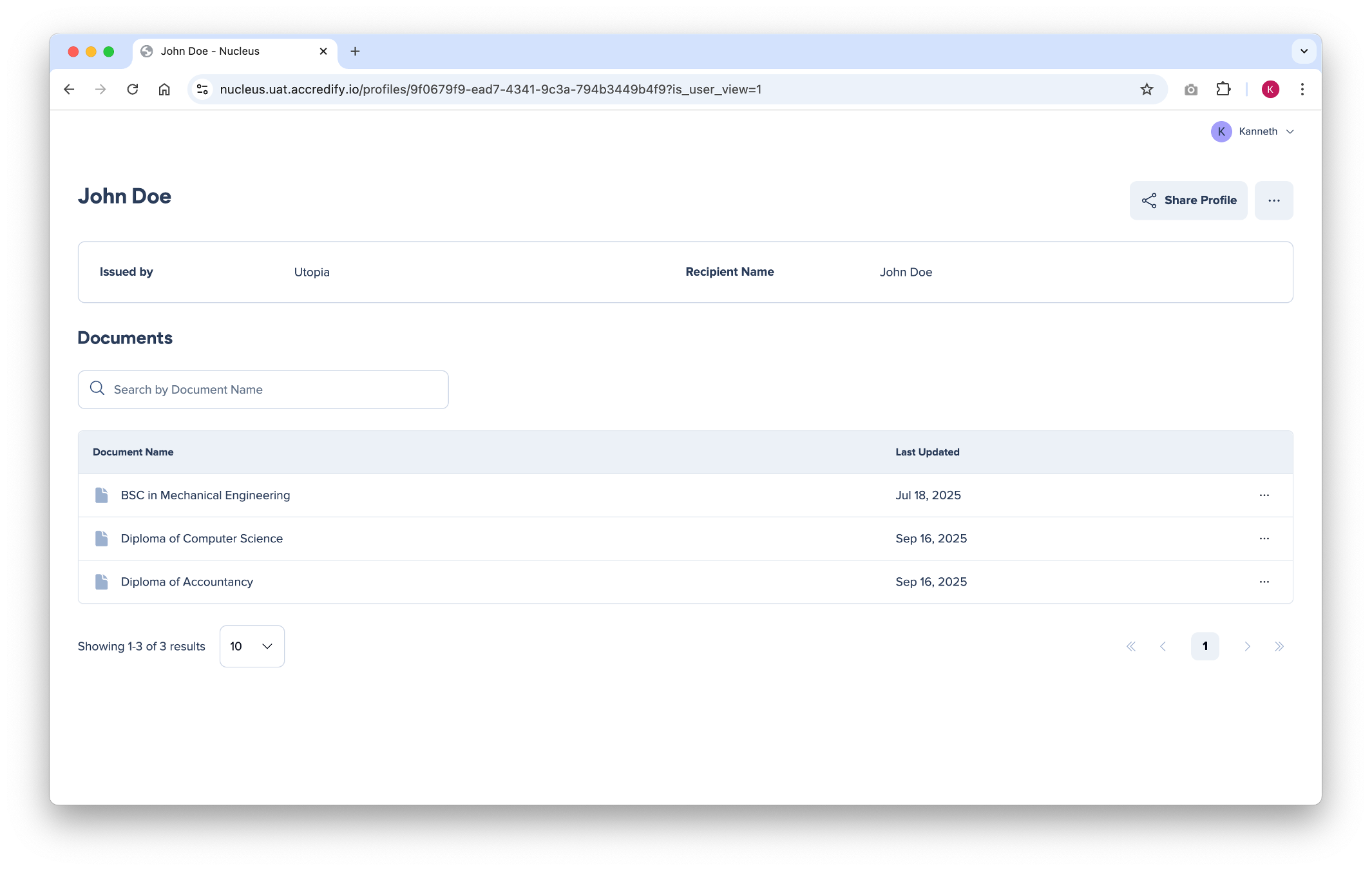
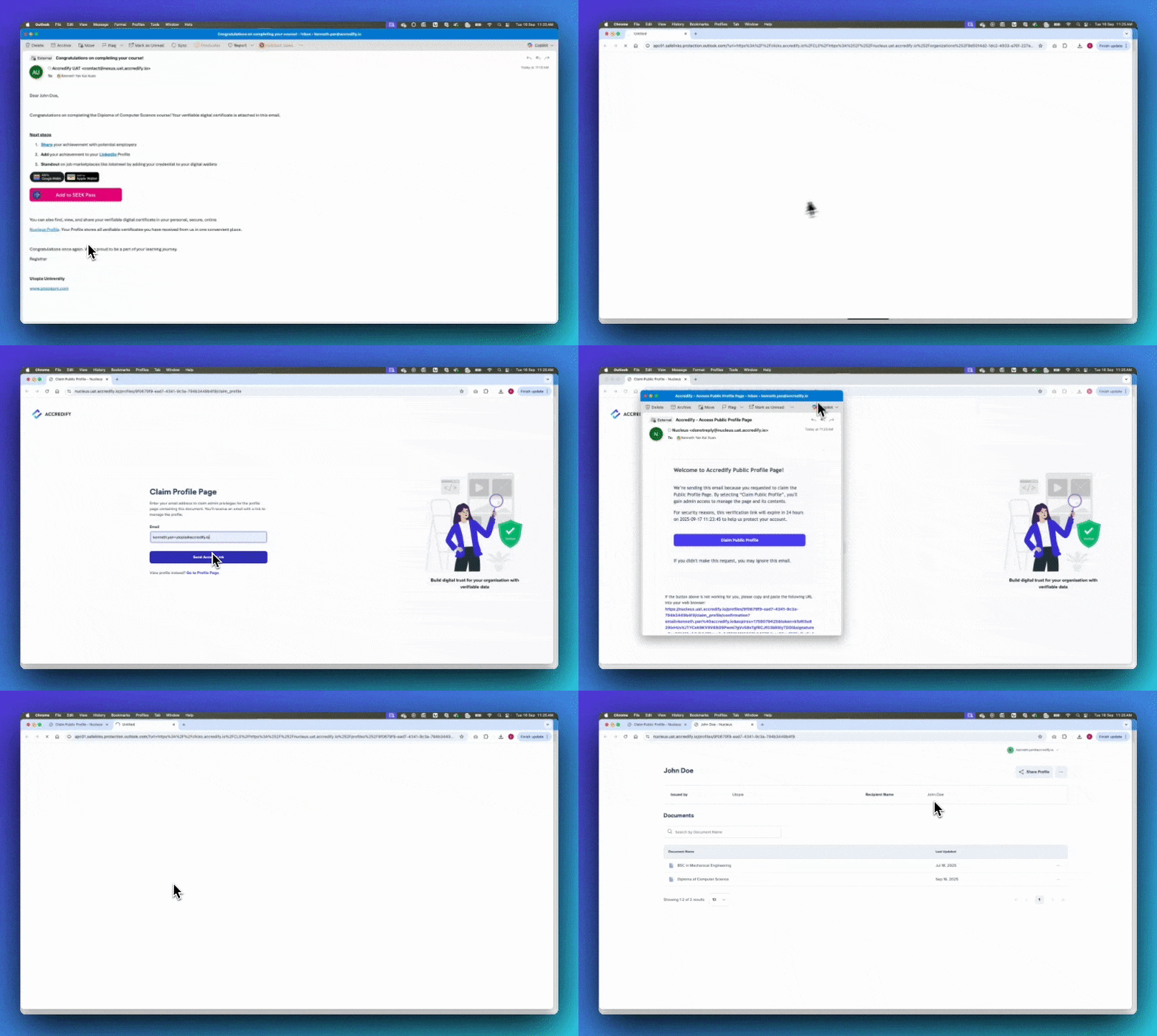
Introducing Nucleus—a secure, online folder of all verifiable credentials issued to a person. Exactly like what inspired its name, Nucleus is built to contain the DNA of a person’s verifiable identity!
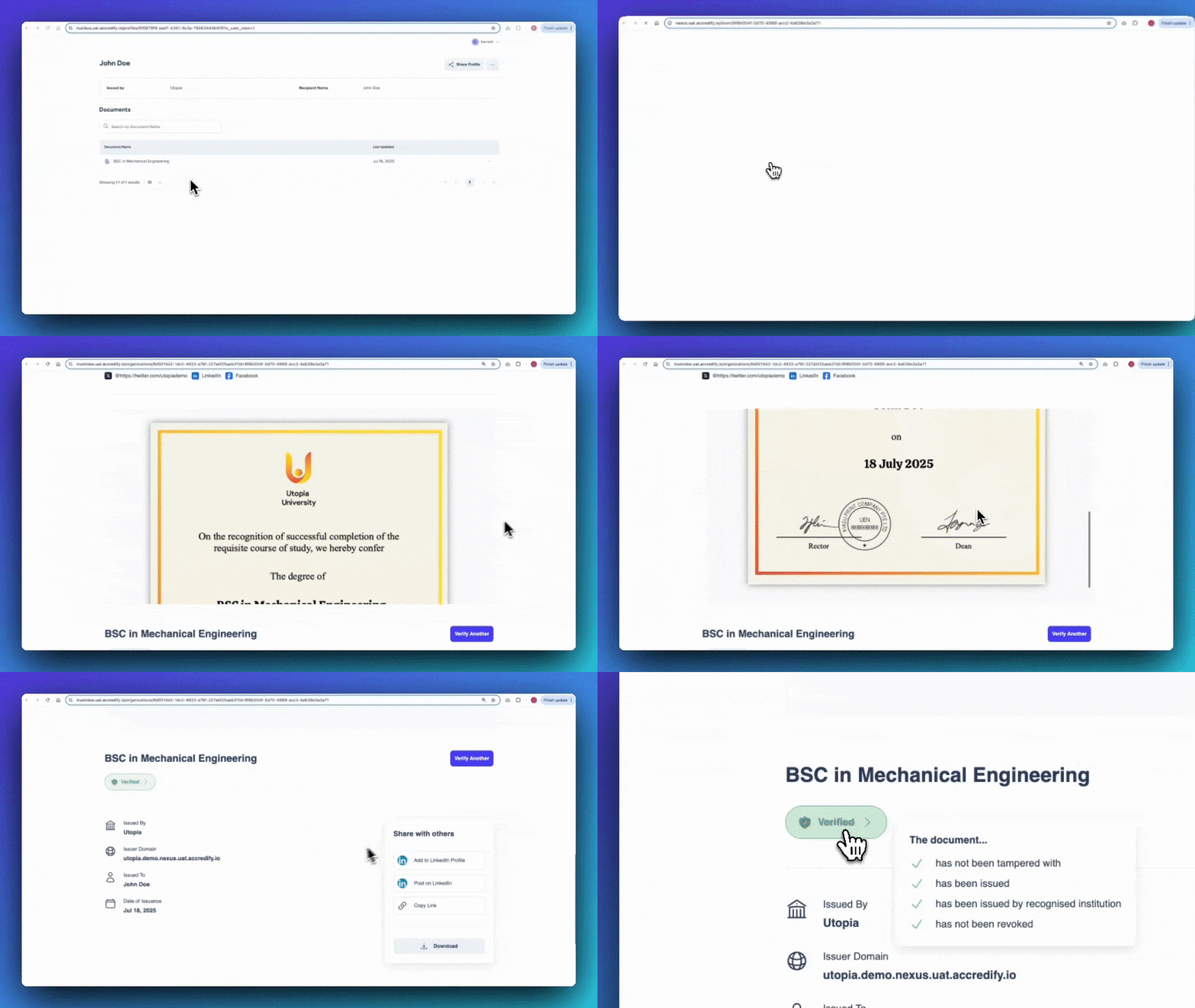
No sign-up needed! An individual can access their Nucleus profile with a link, where they can view, manage, and share their verifiable credentials all from one place.
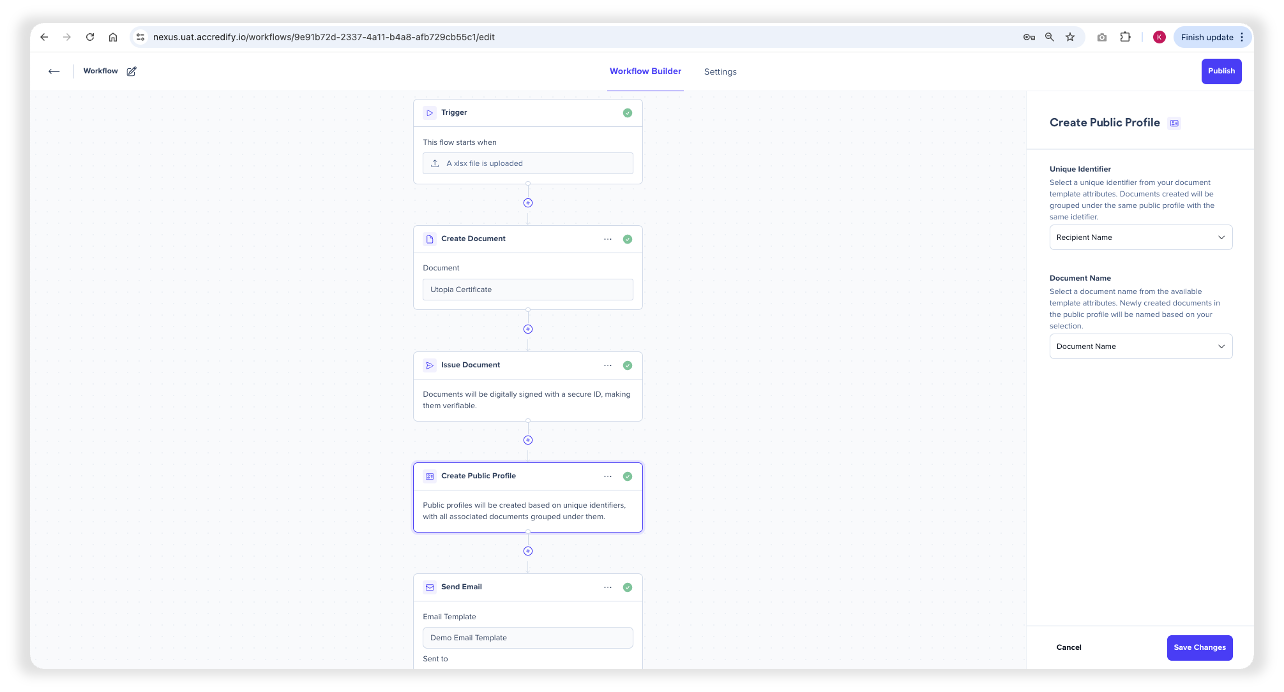
As for issuers, setting up Nucleus profiles for your recipients is as easy as it gets: automate it through Workflows!
To automate the creation and issuance of credentials into Recipients’ Nucleus Profile, simply include the “Create Public Profile” card in your Workflow. Note that this card will only appear after the “Issue Document” card has been used in the Workflow.
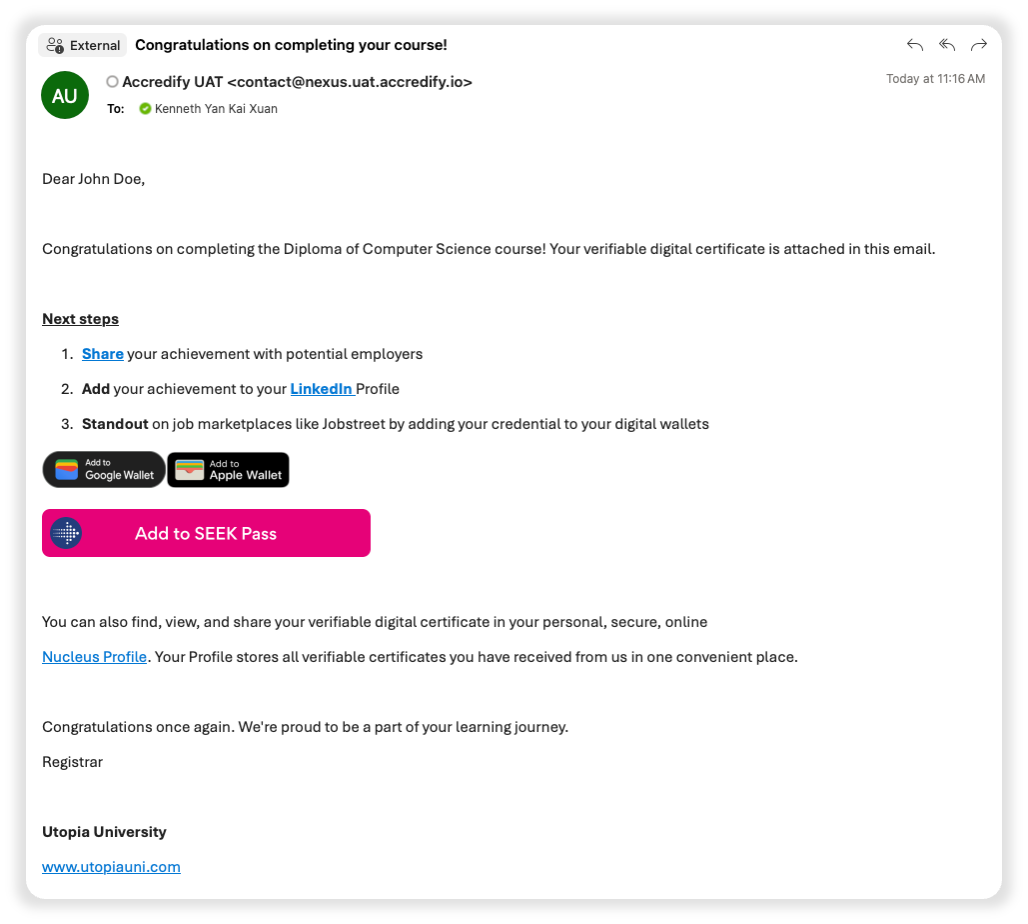
Then include the Nucleus Sharelink in your email template so your recipients can claim and access their Nucleus Profile with one click!
Note that Nucleus profiles cannot be edited in any way—both yourself and the owner are unable to delete, add, or change the documents/credentials uploaded onto Nucleus. The only way to add a document onto Nucleus is through Nexus!
Rest assured, verifiable credentials stored on Nucleus are still dynamic and will reflect any changes in status, such as revocation and/or expiry.
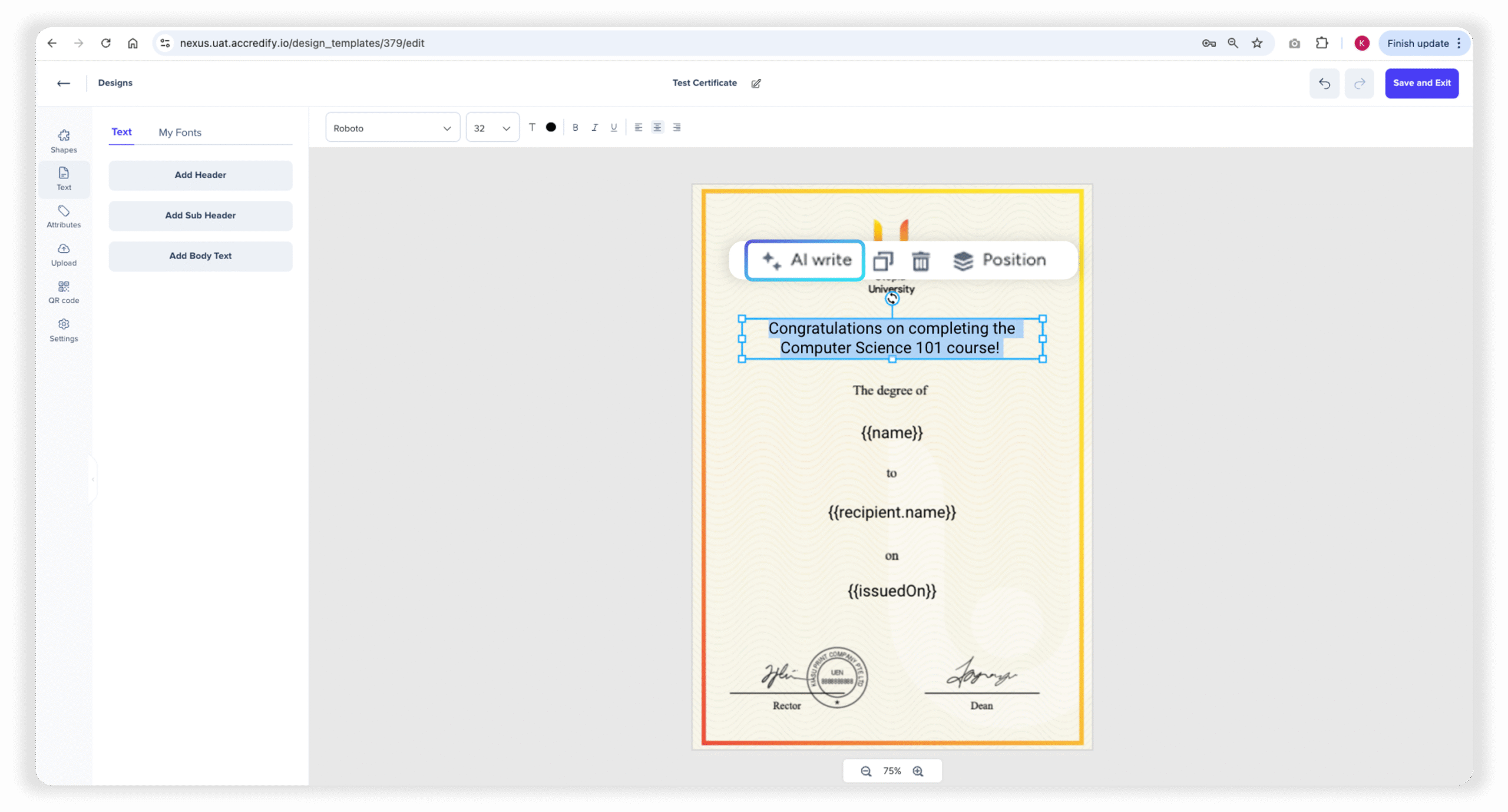
Feeling stuck when designing your credentials? Get some help from AI Write—Nexus’ latest AI assistant feature!
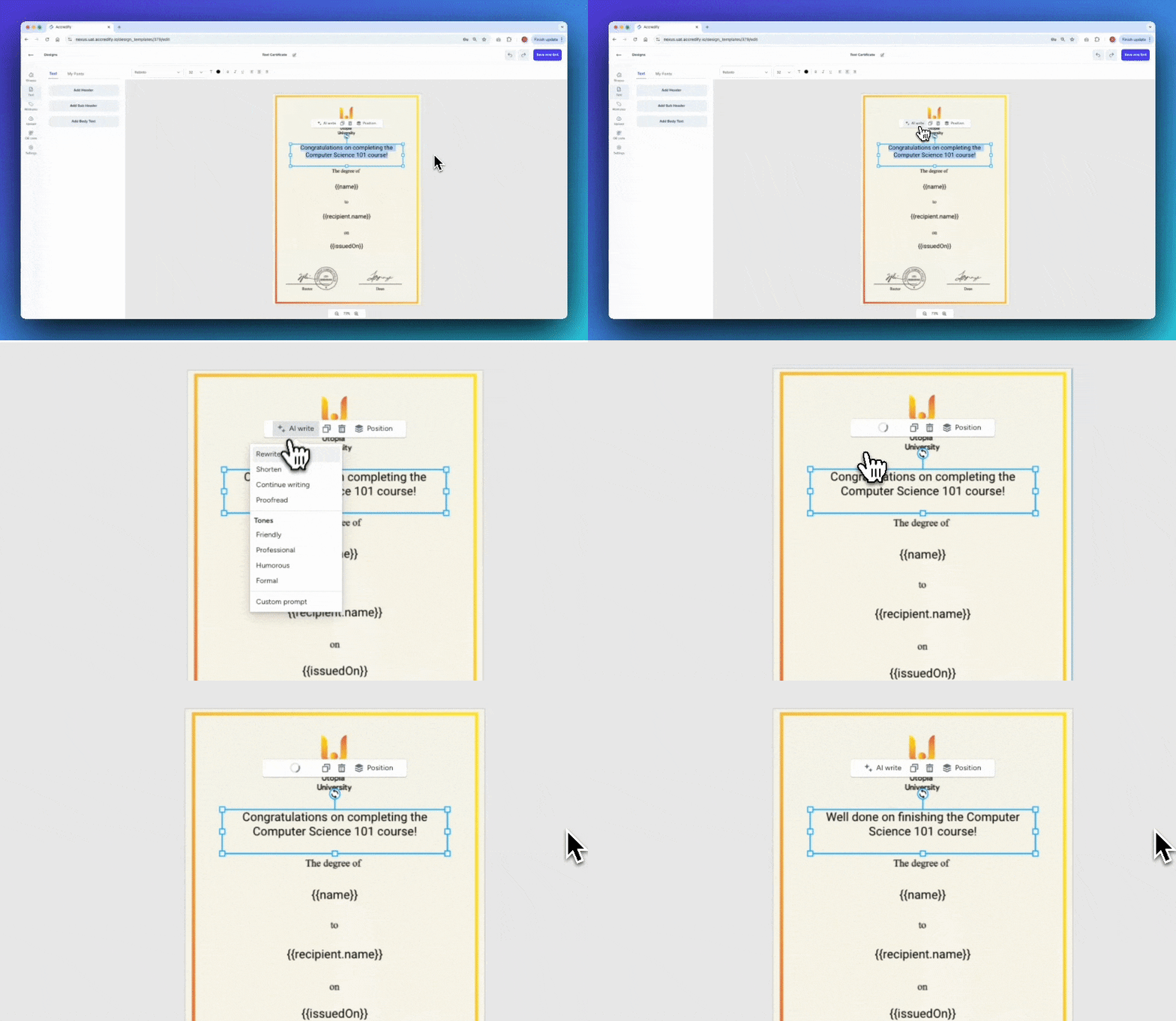
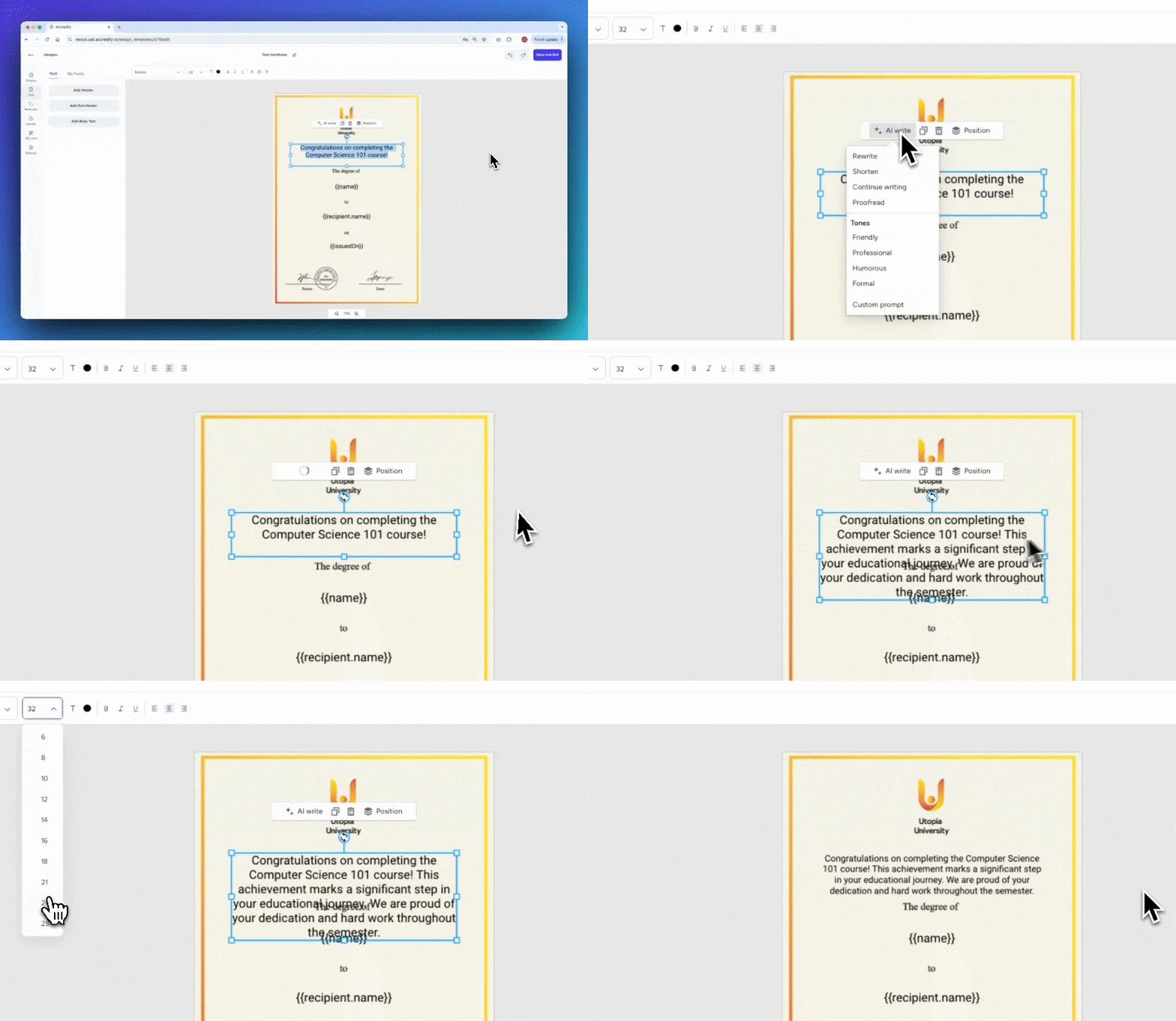
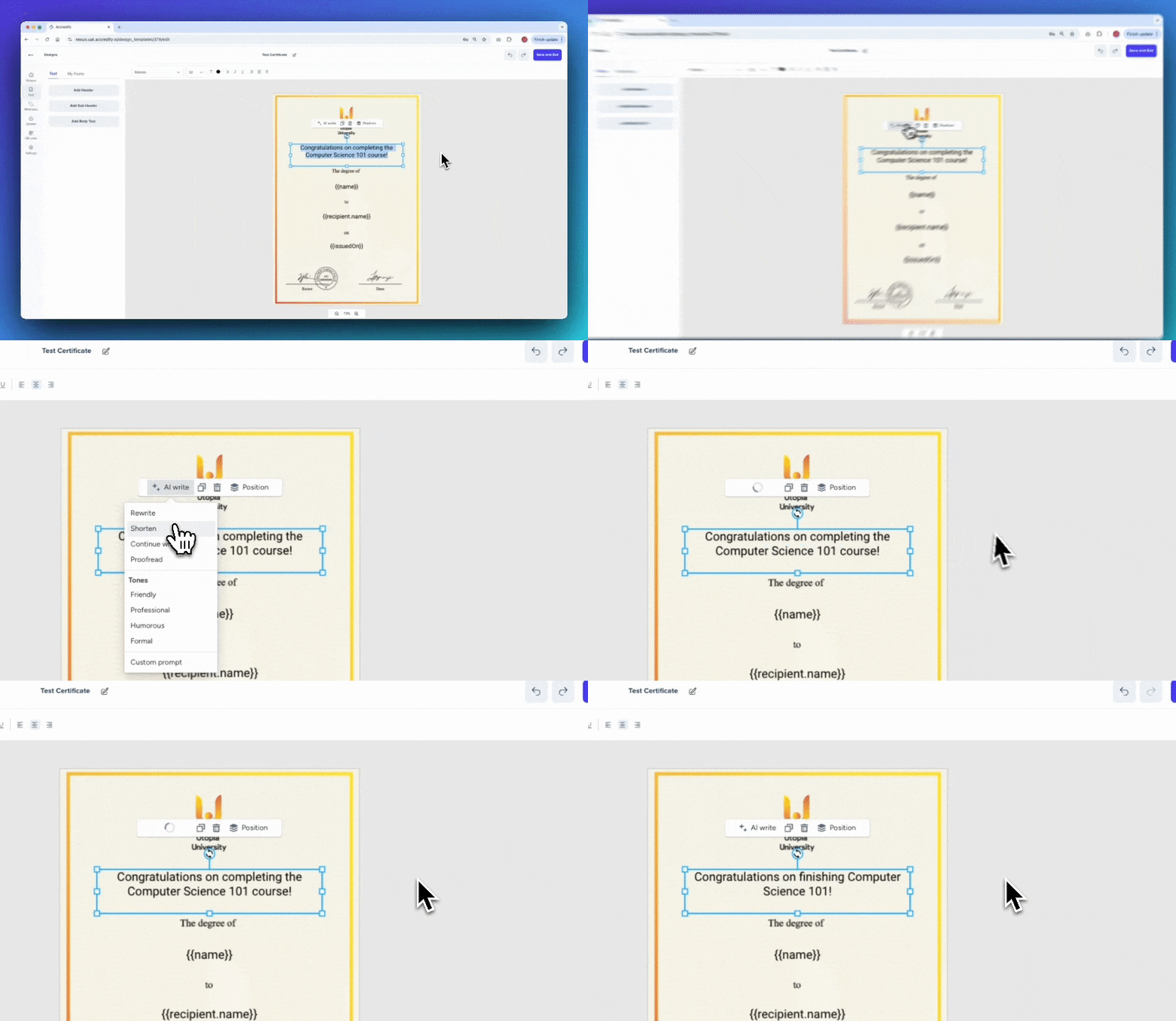
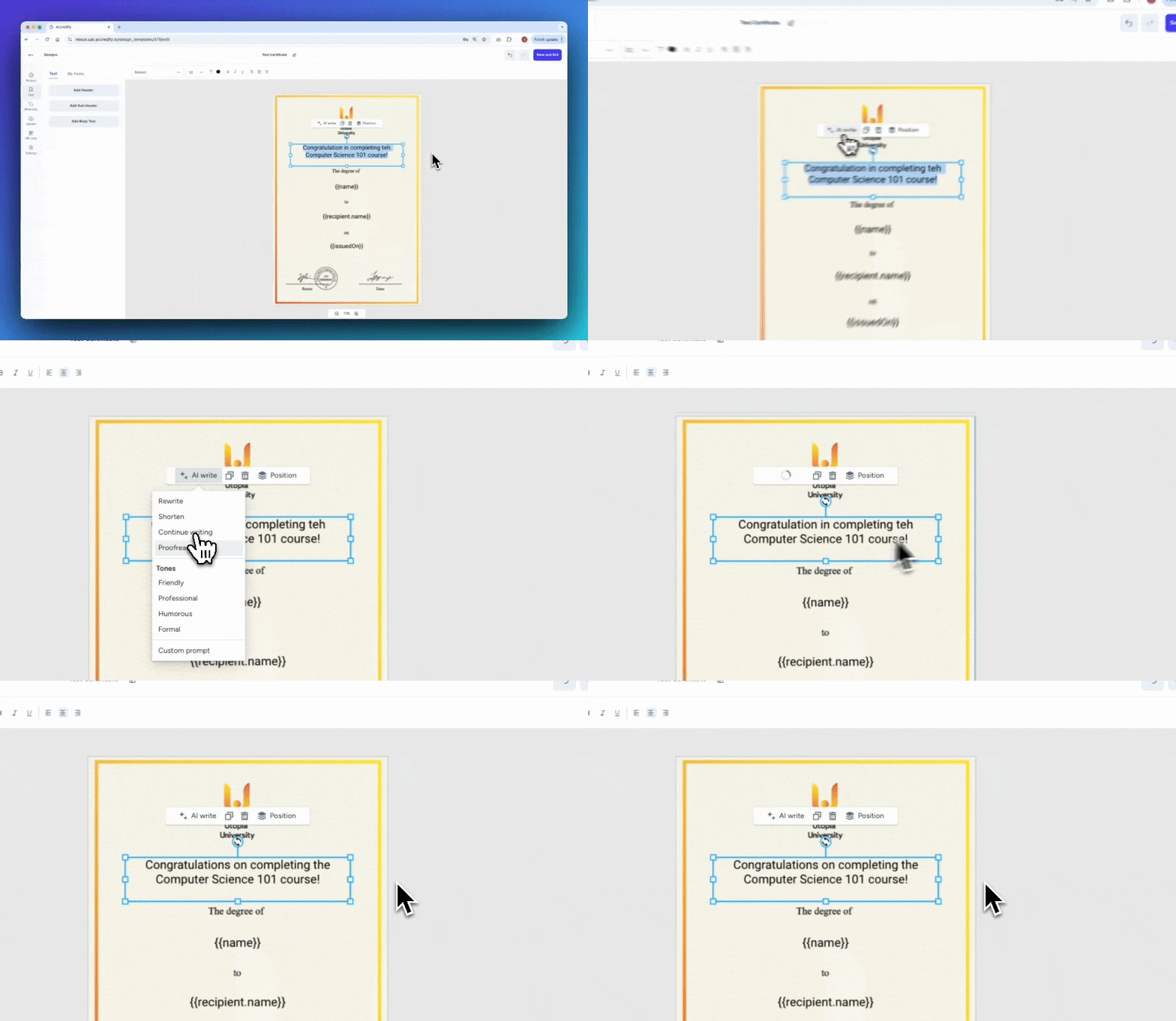
Of course, AI Write offers basic copywriting assistance, such as:
Rewrite
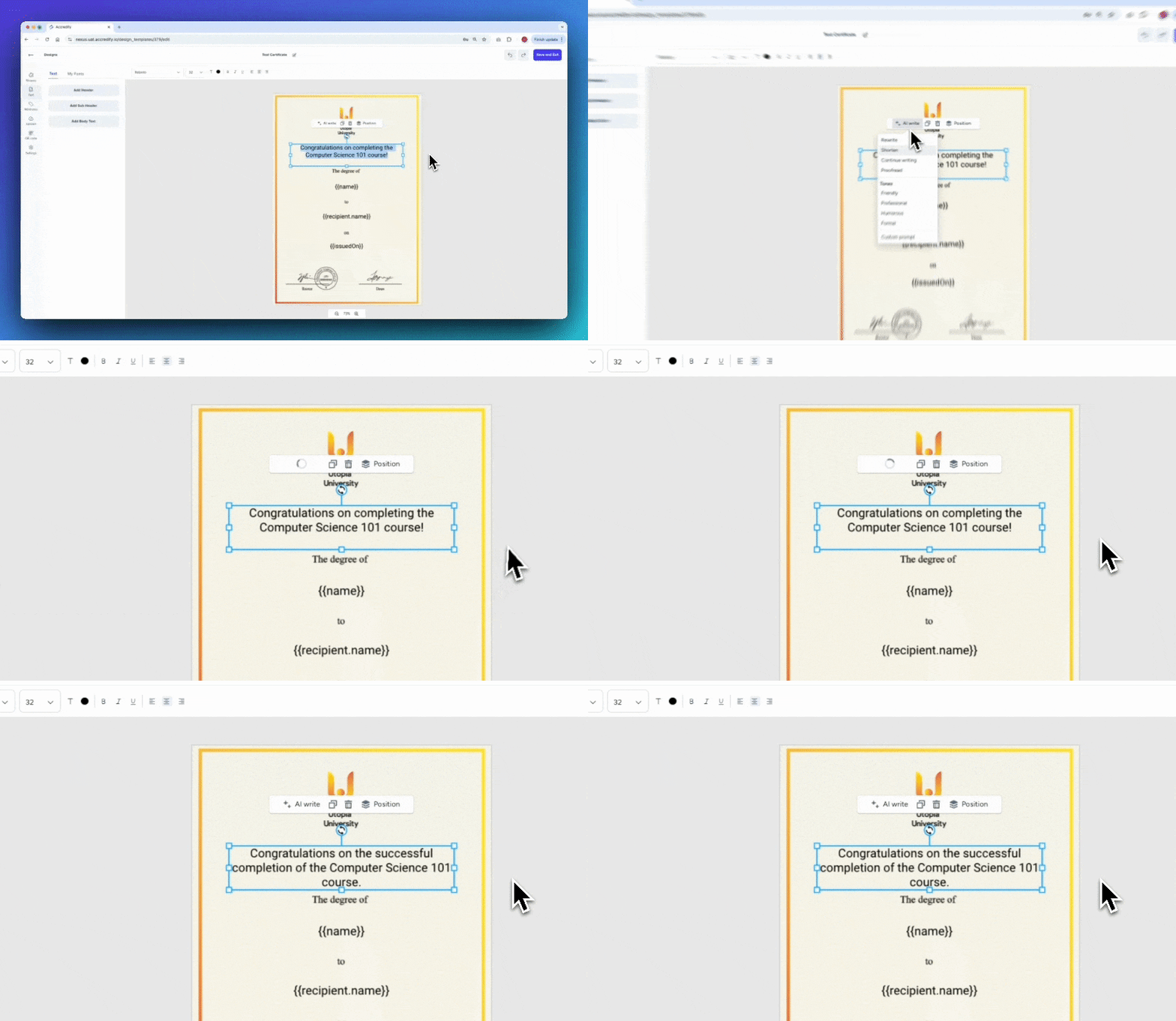
Shorten
Continue writing
Proof-read
AI Rewrite
AI Continue Writing
AI Shorten
AI Proof-read
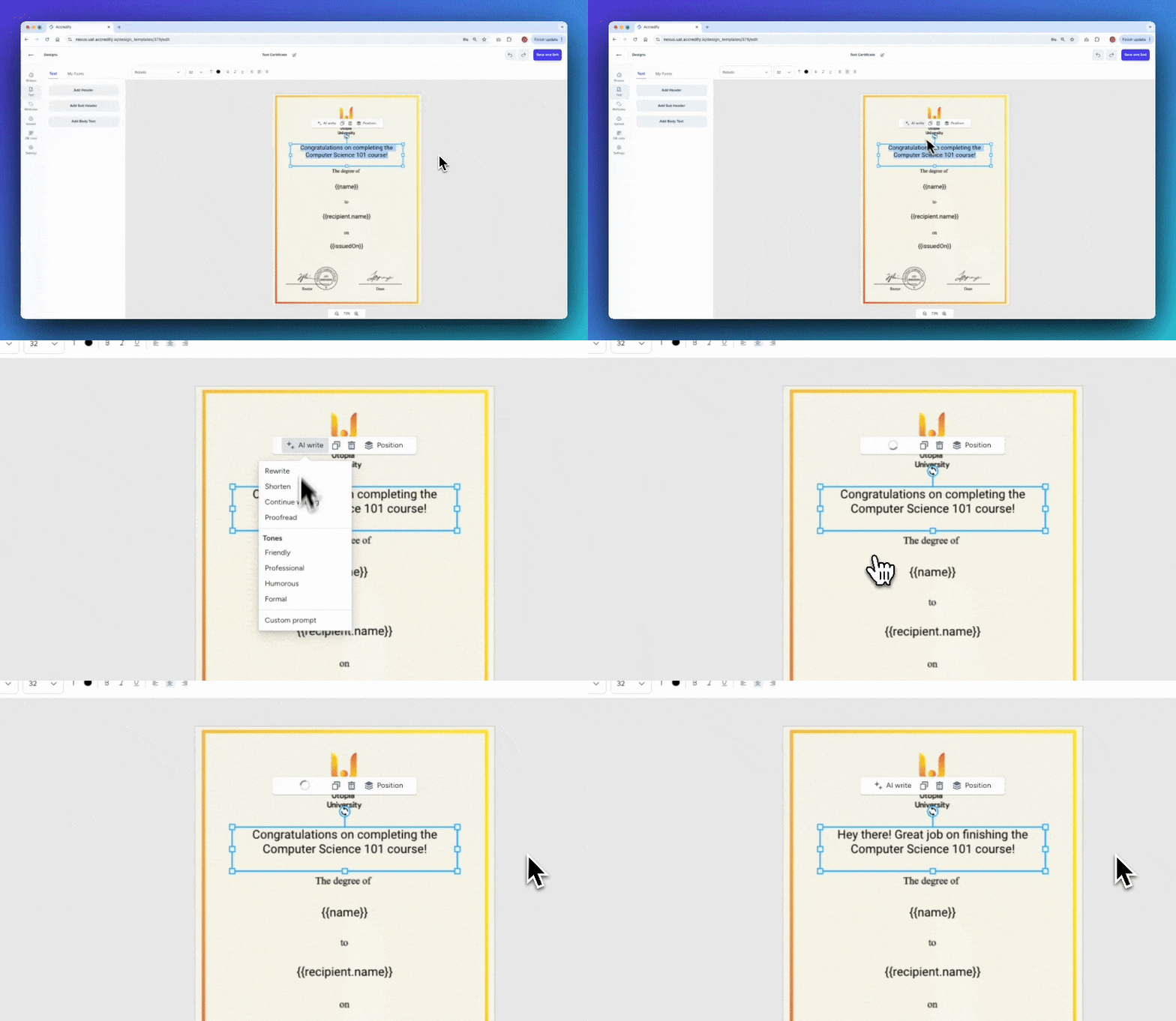
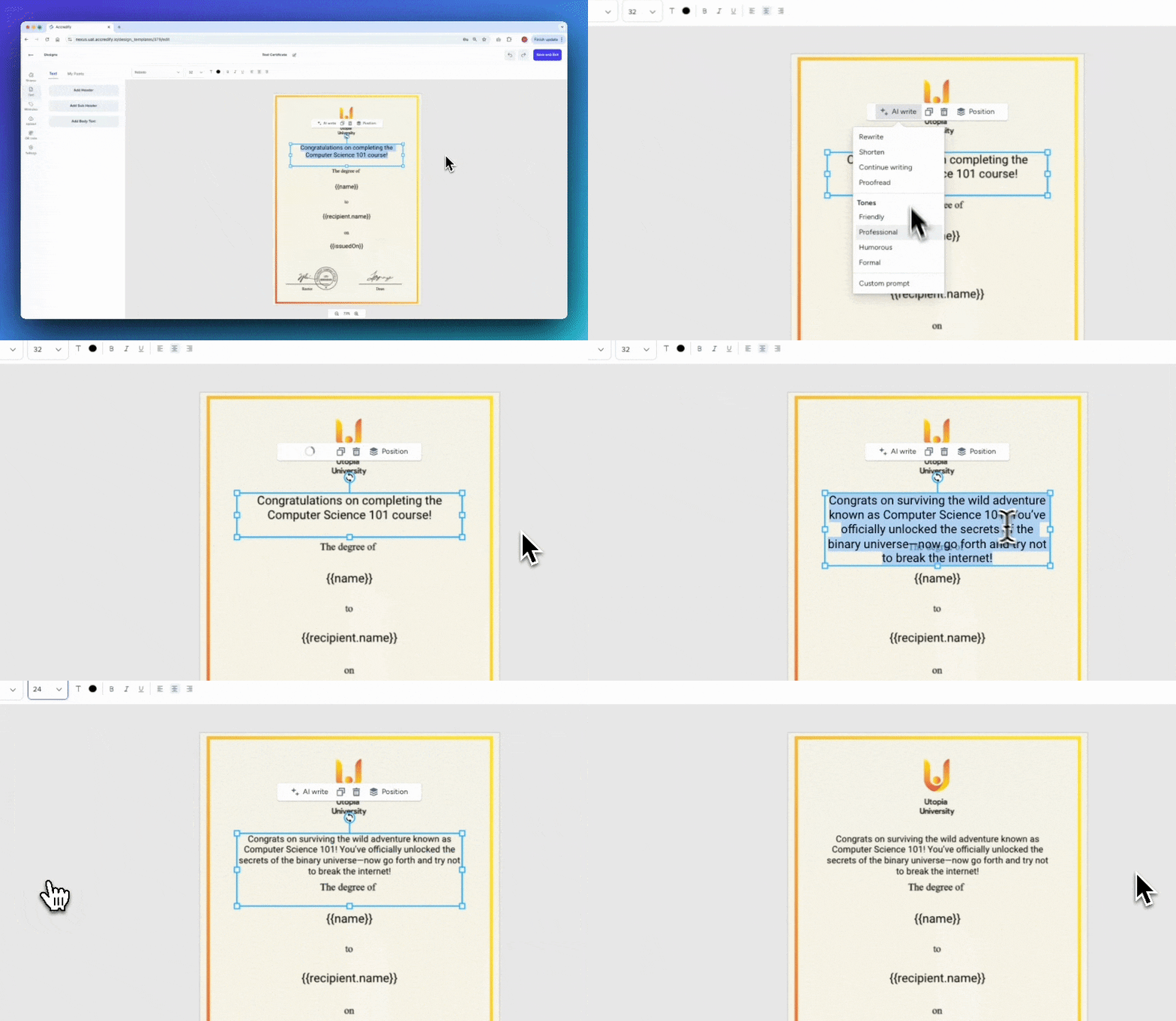
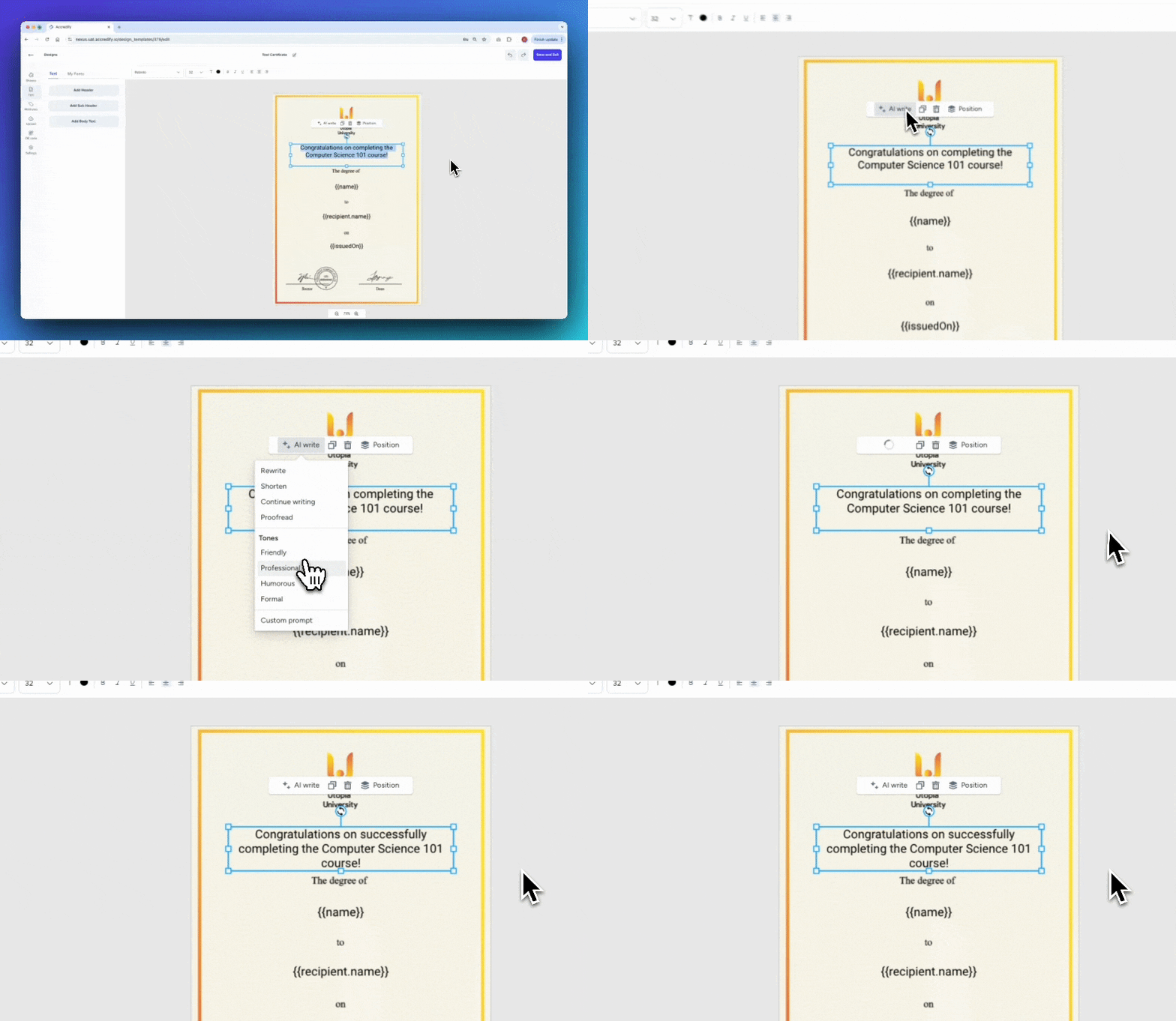
But here’s where it gets really cool—AI Write can help tweak your tone too! Whether you’re designing a formal certificate or a light-hearted event participation badge, AI Write has you covered with tones from:
Friendly
Professional
Humorous
Formal
AI Write: Friendly Tone
AI Write: Humorous Tone
AI Write: Professional Tone
AI Write: Formal Tone
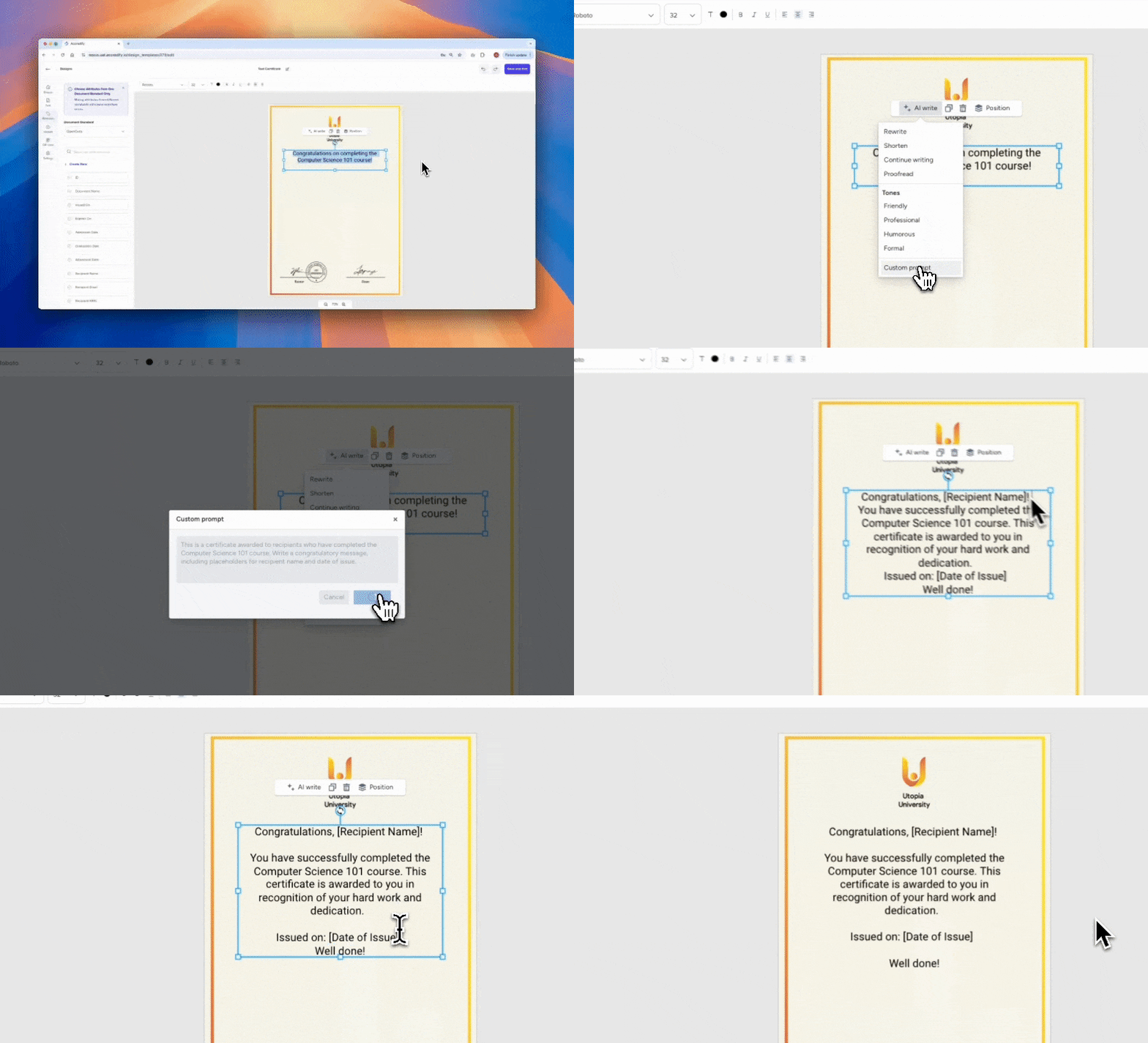
But the most incredible feature, which we’re beyond excited to share with you, is Custom Prompt! With Custom Prompt, you can be very specific with what you need in your copy.
In terms of best practices, we recommend writing in your prompt:
What the credential is about
Who the credential is being issued to
What you want AI Write to produce
Tone preferences
Any placeholders for attributes
Any watch-outs
We can’t wait to see what you come up with AI Write!
Attribute Fitting: Automatic Adjustments to Attributes
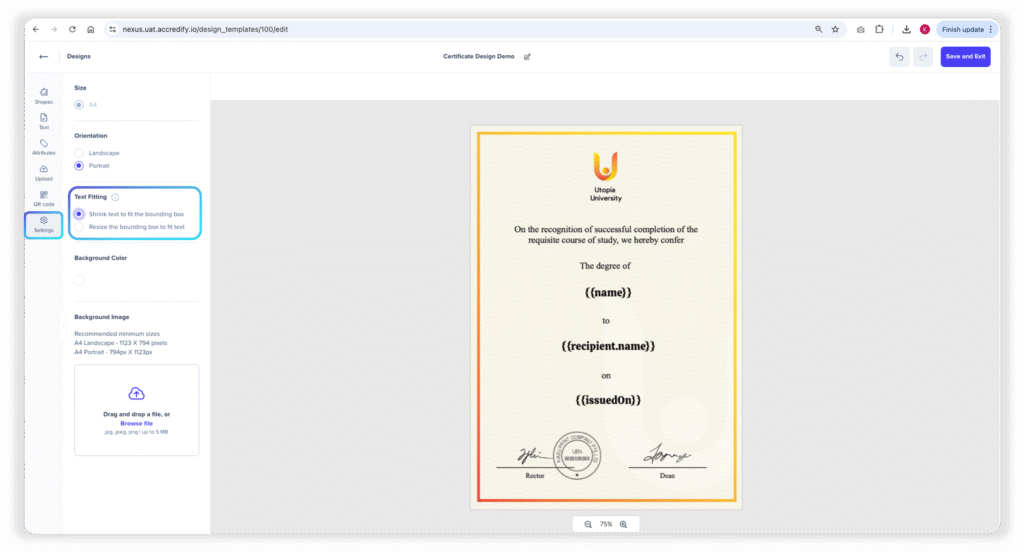
Dynamic Attributes are perfect for automation, but formatting them so that your credentials show up perfectly can be tricky sometimes. With this update, you can say good-bye to truncated attributes with Attribute Fitting!
Shrink-to-fit maintains the size of your bounding box by scaling down the font size of your Attribute when necessary.
Resize-to-fit maintains the size of your Attribute’s text size by allowing your bounding box to stretch downwards. Note: the length of the bounding box will remain unchanged.
Dynamic Attributes that are within the bounding box
Shrink-to-fit
Resize-to-fit
Your credentials will show up perfectly every time now, even with unexpectedly lengthy Attribute values (like long Recipient Names!).
Groups, Roles & Permissions: Enterprise-level Control for Large Institutions
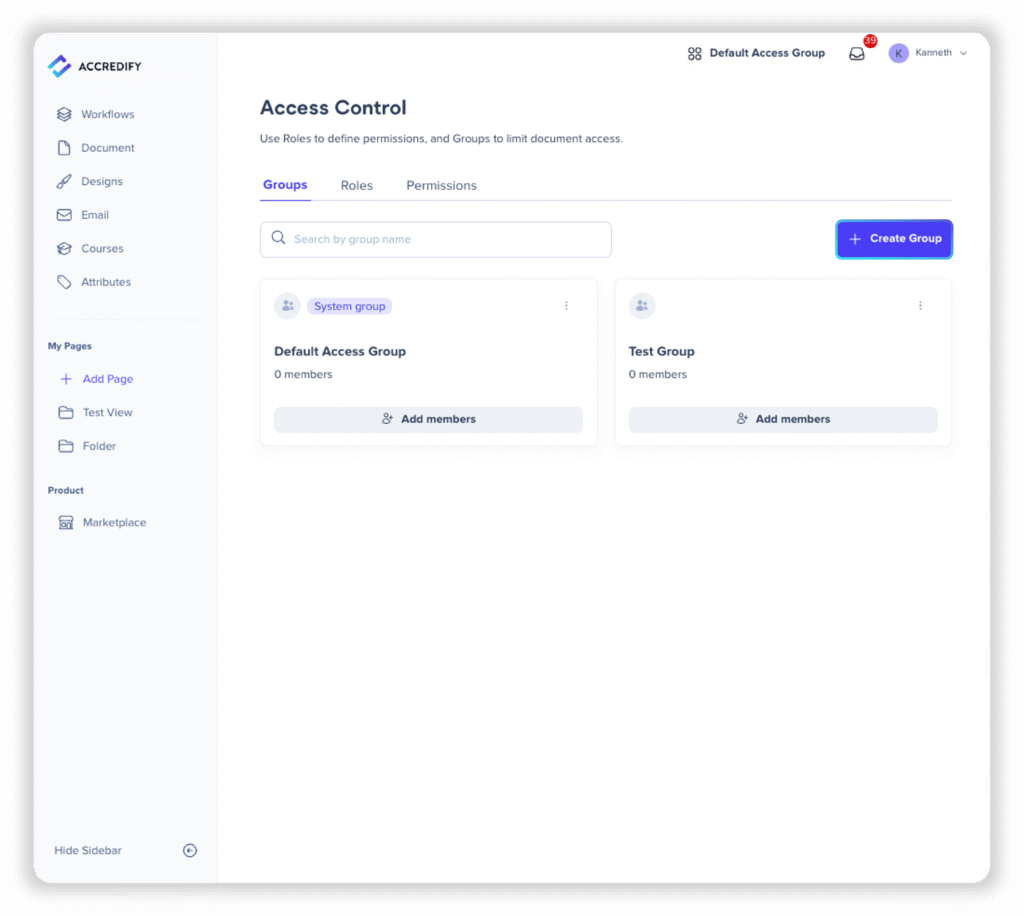
Groups, Roles, and Permissions now enable large organisations to separate Workflows, Documents, Designs, and Email Templates by departments! This means Group A cannot see the Workflows, Documents, Designs, and Email Templates from Group B, including each other’s issued documents or user activities.
Within a group, organisations can define and assign Roles to users. Roles are a collection of Permissions, which are are what a User can do on Nexus (e.g. create templates and/or run workflows)
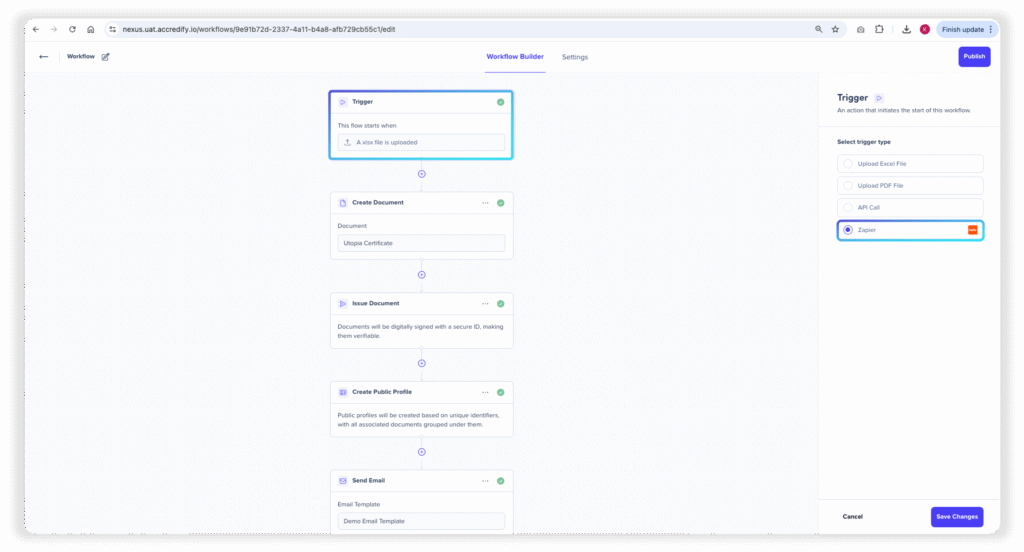
Accredify Nexus now supports Zapier integrations! If you’re working across different systems or software, you can now automate Workflow triggers via Zapier!
Email Notifications for Workflow Updates
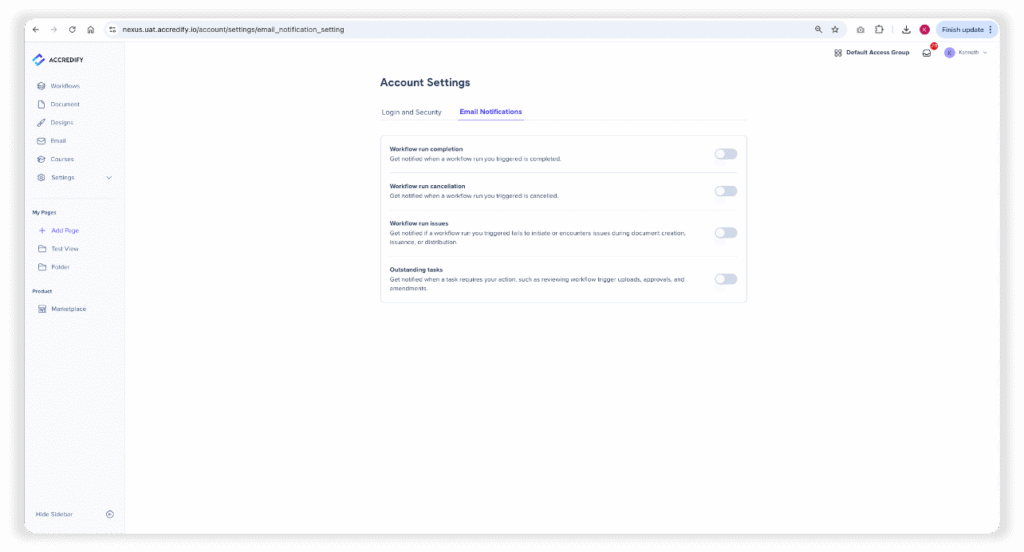
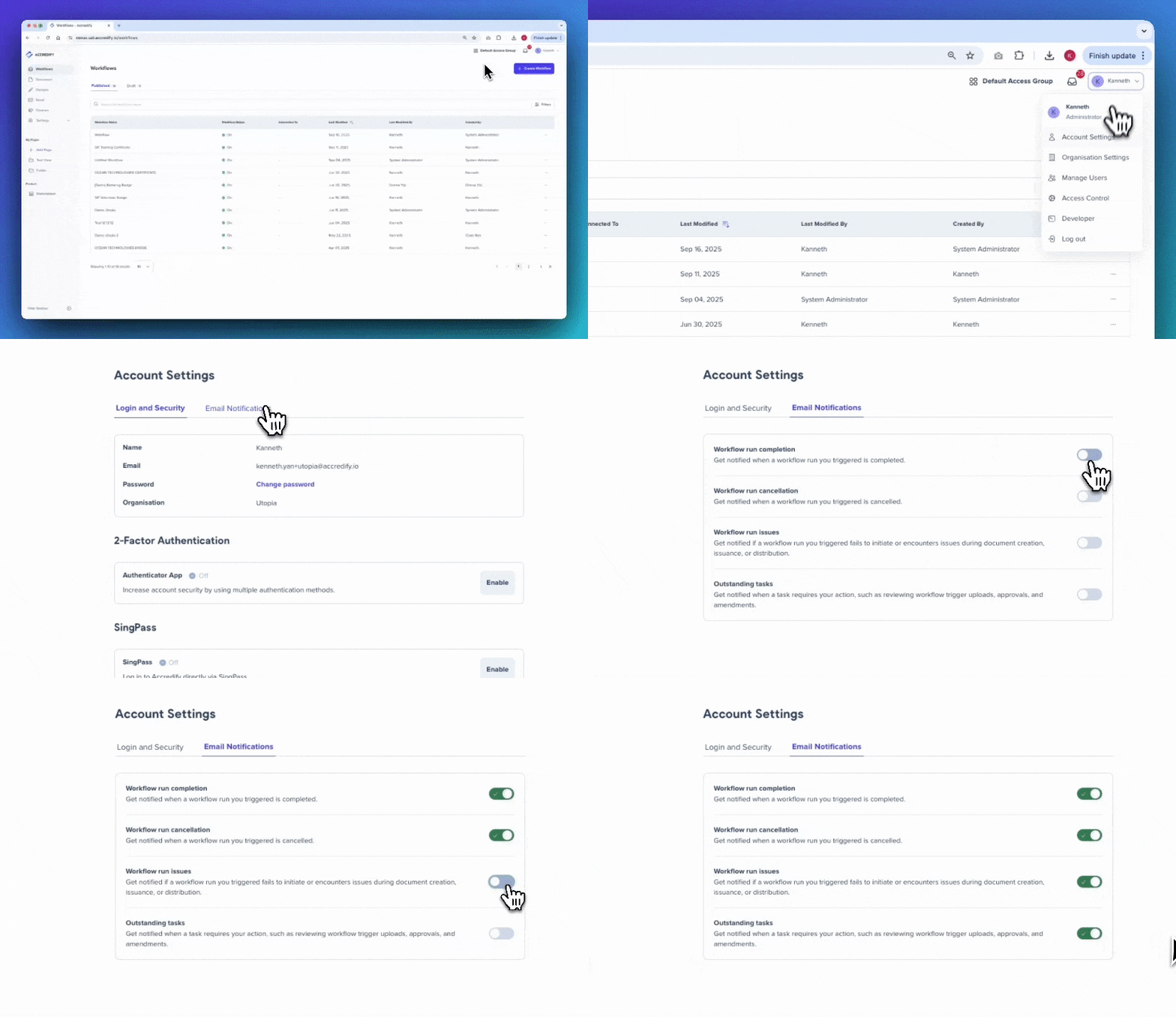
Never miss another Workflow update with Email Notifications! Head over to Account Settings by clicking on your profile at the top right, and toggling on whichever Email Notification you’d like to receive!
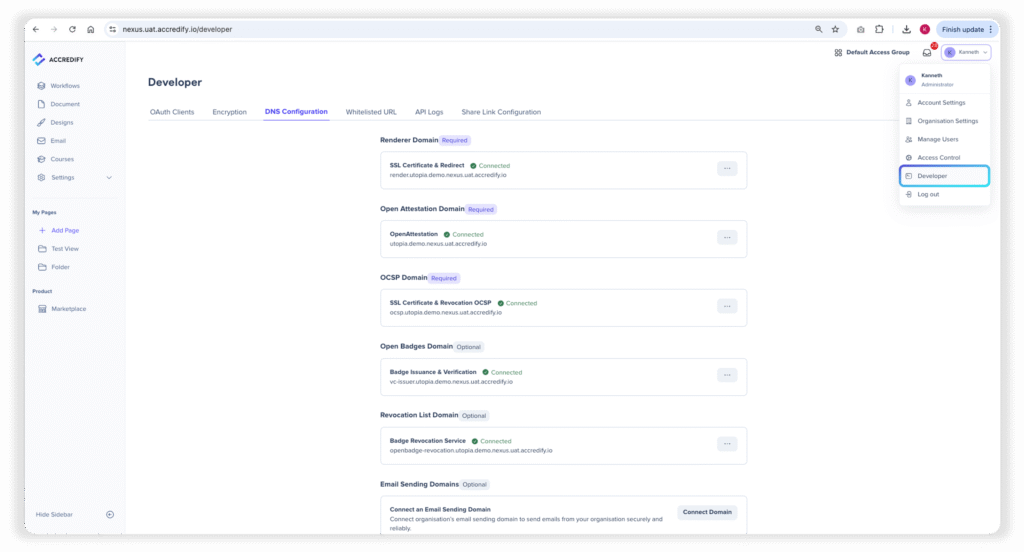
Developer Tools now under Profile
Developer Tools have now been shifted to “Profile” from “Settings”. We’re consolidating tools that affect an entire organisation’s Nexus account in one place for ease of access.
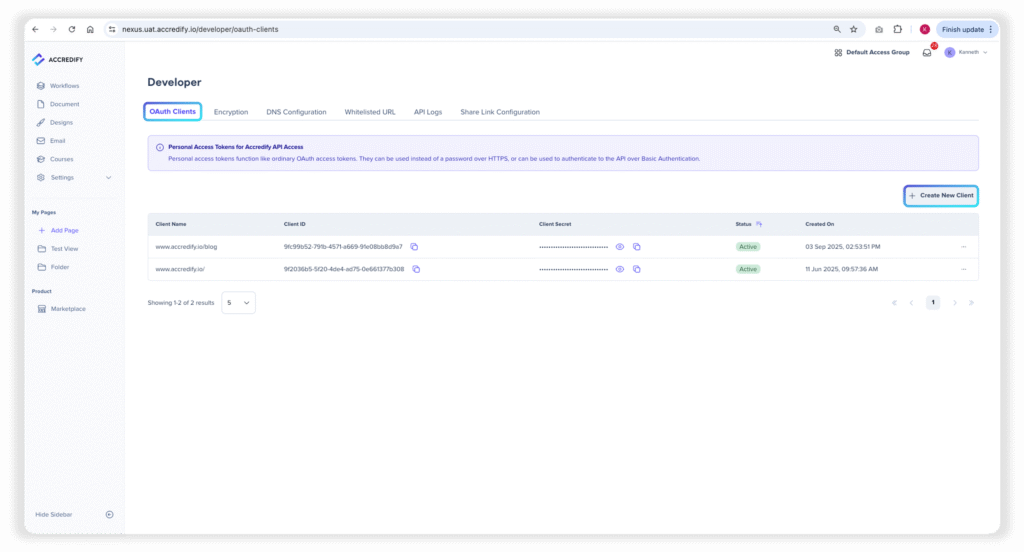
API Token Generation
You can now generate API tokens yourself! Head over to the “OAuth Clients” tab in the “Developer” view to access the tools to create your API tokens.
If this seems unfamiliar to you, don’t worry, your tech person will know what to do with this information. 😉
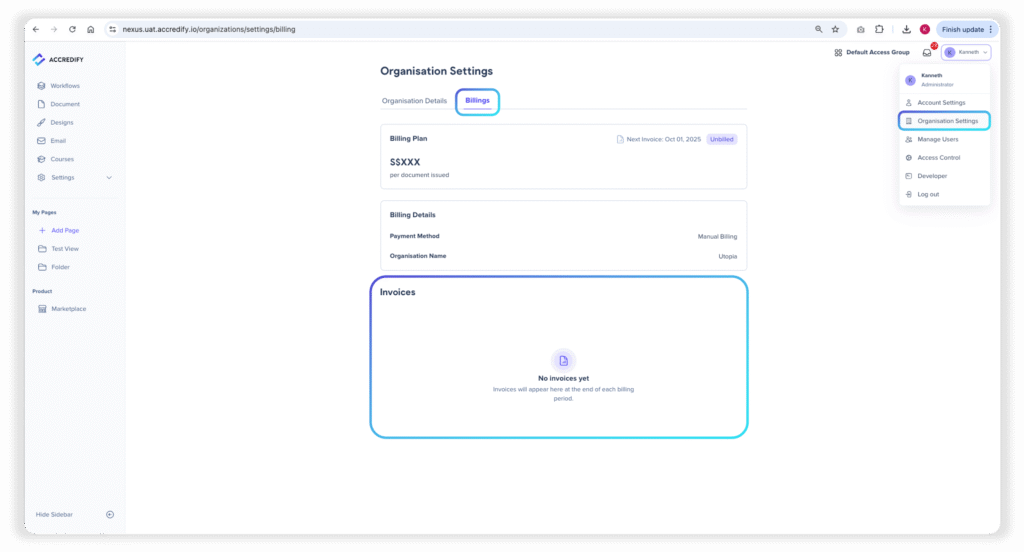
Invoices now under Billing
Find all your invoices under Billing for ease of paperwork!
There are all the new features, platform updates, and QOL changes for now! If there are any features you’d like to see or suggestions for us to improve Nexus, please let us know!